What's new: September 7 - 13, 2026
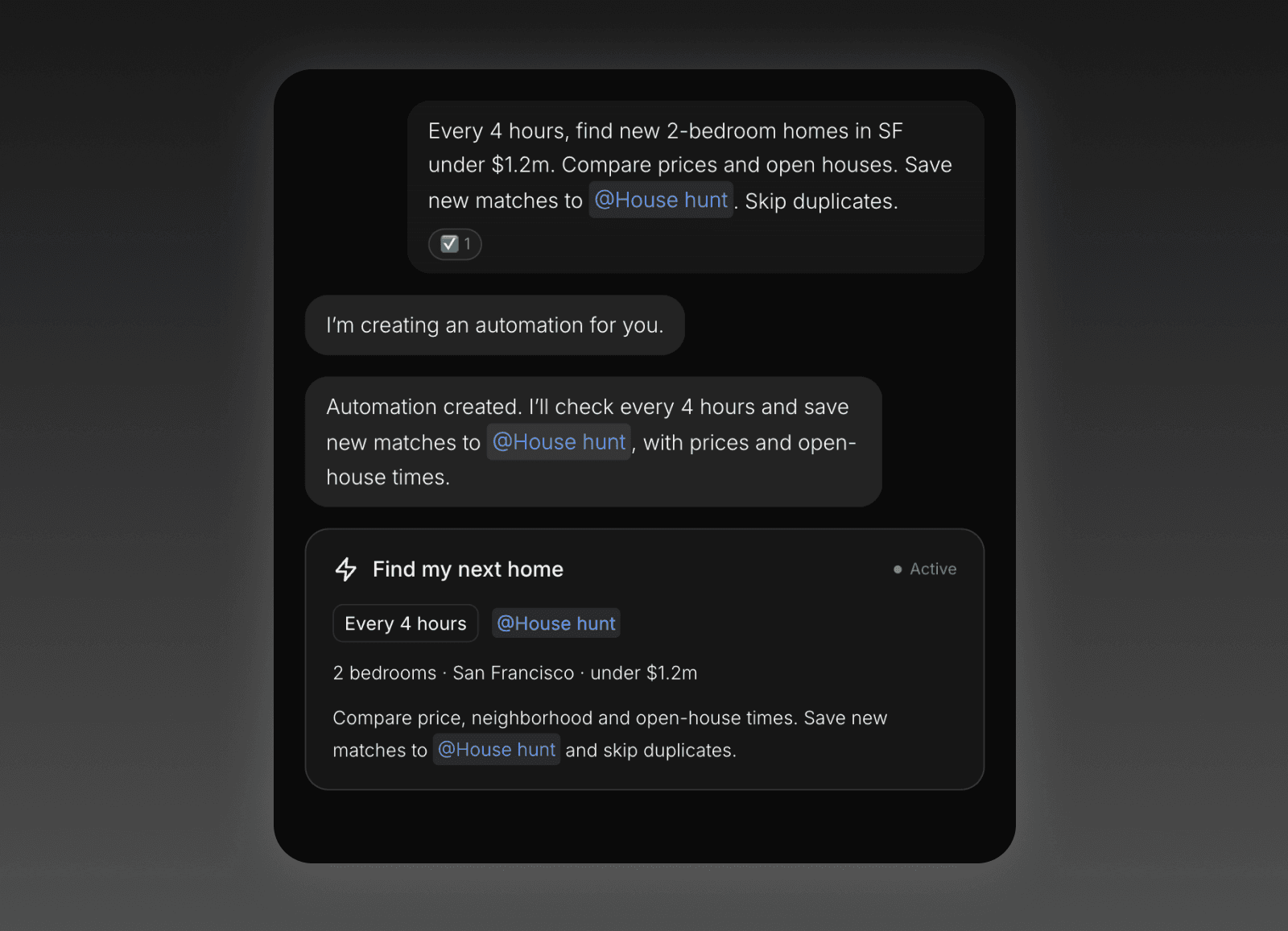
A lot landed this week: Automations lead the way, with a stronger Tasks board and a much more connected Operator.
Highlights
Put Roma on repeat. Create automations from a clean draft page, tweak the schedule inline, then turn them on when they’re ready. Runs show up in your Operator conversation and can notify you on iOS and Desktop. Existing repeating tasks now move into automations, so recurring work has a clearer home.
Your Operator is one continuous conversation. Notifications now land there, so you can see, react, and reply to a task, note, comment, reminder, completion, and automation updates in one place. Pick up on Web, Desktop, or iOS, then search or scroll back whenever you need the context.
Tasks has a better Kanban board. Drag cards between columns, group work your way, reorder columns, and select several cards at once. Compact cards make busy boards easier to scan, and every view remembers your layout, density, and filters.
All updates
All notifications now arrive as Operator chats, bringing task, note, comment, reminder, completion, and automation updates into one place where you can react and reply. (All clients)
Your full Operator conversation is continuous and searchable across Web, Desktop, and iOS. (All clients)
Quote cards open the related task, note, comment, reminder, completion, or automation run. (All clients)
Participant reminders now fire even when no owner reminder is due. (All clients)
New automation opens a deterministic draft page instead of a chat. (All clients)
The create menu and new-tab rail include New automation. (All clients)
The When section edits inline. (All clients)
Cadence labels are shorter and interval copy is plainer. (All clients)
Saved automation views and editing are separate. (All clients)
Automation drafts are preserved. (All clients)
Invalid automation updates are rejected instead of half-applied. (All clients)
Automation runs push to iOS and Desktop. (Desktop, iOS)
Automation runs post into the Operator conversation. (Desktop, iOS)
The Ran automation chat line opens the automation page on iOS. (iOS)
The automation row menu on iOS reads verb + noun. (iOS)
The Automations sidebar section has sorting, counts, and filters. (All clients)
A new automation opens instantly on iOS. (iOS)
Automation pages and cards no longer show duplicate titles. (All clients)
Automation cards no longer show redundant mode subtitles. (All clients)
Project pills no longer overlap long automation bodies. (All clients)
Existing repeating tasks are transformed into automations. (All clients)
On iOS, the Automations tab appears once you create your first automation. (iOS)
Long conversations compact automatically so the Operator keeps its context without slowing down. (All clients)
Search chat history with jump-to-message and paging in both directions. (All clients)
Every chat bubble shows when it was sent. (All clients)
Operator messages point at tasks consistently with @mention chips, cards for what a turn created, and quote cards for quoted messages. (All clients)
Reminder messages @mention the related task. (All clients)
The Operator understands its own notification messages and can act on them. (All clients)
The Operator can answer about notes and collection rows in a time window, and knows when a task was started. (All clients)
Artifact detail has a This artifact / Global switch in the Operator rail. (All clients)
Command-T and the strip’s plus open a new tab straight into the Operator. (Web, Desktop)
The Operator lives at /operator. (Web)
Scrolling up loads older messages. (All clients)
Dropped turns no longer stay on Contemplating... forever. (All clients)
Stale approvals in history no longer block new messages. (All clients)
Code blocks have a visible surface with a copy/download pill. (All clients)
Bullet lists no longer get paragraph-sized gaps. (All clients)
Single newlines in replies are kept. (All clients)
The chat feed follows the composer’s live height. (All clients)
The caret no longer disappears after Shift+Enter in a long draft. (All clients)
Sending in the Mac app no longer freezes the machine. (Desktop)
Chat bubbles have a 240px minimum width, tighter tool-line rhythm, no stray day dividers, and more room for mention chips. (All clients)
Tap a task’s status to advance it. (All clients)
Completed rows stay visible for 10 seconds, struck through including the status line. (All clients)
Overdue tasks show their real date by default. (All clients)
Show overdue as today is now a Tasks & Notes preference. (All clients)
Every view remembers its own layout, density, and filters across relaunch. (All clients)
Last edited now means a content edit, not any sync touch. (All clients)
Images can be placed anywhere in a body. (All clients)
The lightbox steps between an item’s images with arrow keys. (All clients)
The image cap in chat rises from 3 to 10. (All clients)
Tasks and notes carry document attachments you can open and delete from the detail view. (All clients)
Archived tasks, notes, and collection rows can be listed and unarchived in the app. (All clients)
Collection rows get the full menu for favorite, version history, archive, and delete. (All clients)
Collection items can be favorited. (All clients)
A new task or note shows its project pill from the first keystroke until you leave it. (Web, Desktop)
Filing is one click or Command-P away. (Web, Desktop)
Overview pages share one header. (All clients)
Project detail gains segments and a due-date board. (All clients)
A new account’s first launch opens the welcome task and the Tasks board side by side. (All clients)
Mac menu bar capture gives you a compact dropdown to type or dictate a capture. (Desktop)
Capture drafts survive dismissal. (Desktop)
Tasks, Notes, and Collections headers open their page, while the chevron toggles the section. (All clients)
The All ... pills are gone. (All clients)
The Operator is the black primary pill with a circular New task plus beside it. (All clients)
Automations can be reordered alongside the other sidebar sections, with compact typography, restored section icons, and aligned glyphs. (All clients)
The user menu shows your account name, email, and photo on Web, Desktop, and iOS. (All clients)
Dark mode is truly black. (All clients)
The previous blue-gray dark appearance ships as Slate. (All clients)
The AI Clean up selection feature is removed from Web and iOS. (Web, iOS)
Chat sessions are cached on device, so a task or note’s chat opens on its transcript instead of blank. (iOS)
Transcript scroll position survives every push and pop. (iOS)