What's new: July 20 - 26, 2026
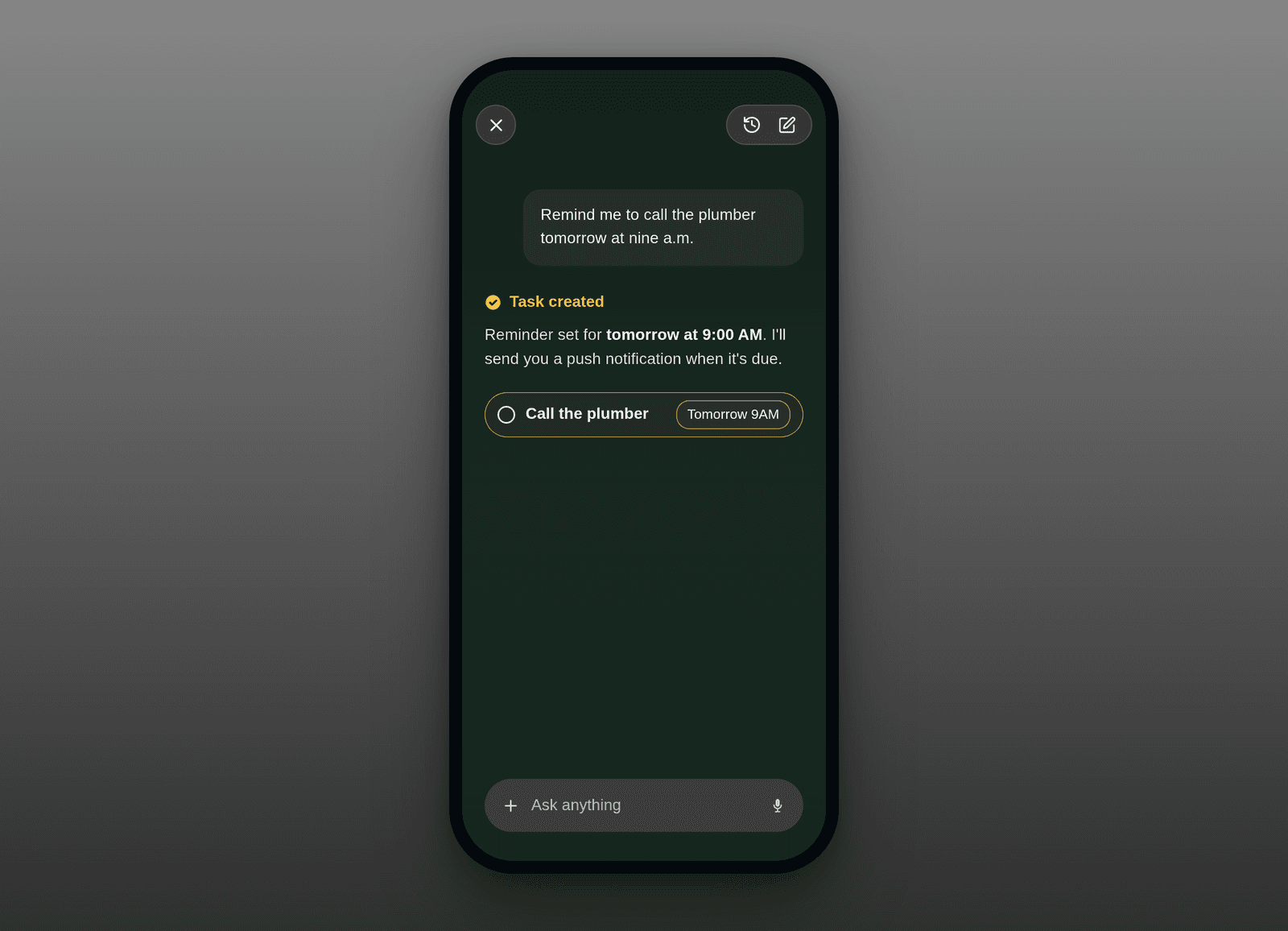
A big one. Roma now leads with tasks and a rethought way to get around, you can set reminders just by asking your assistant, and you can favorite anything you want to keep close.
Highlights
Everything starts as a task. Capture something in Roma, and it lands as a task, ready to act on right away. No inbox sitting in the way, and the ones worth keeping become notes. Inbox is gone, tasks are global instead of stuck inside a project. That's the flow now. (All clients)
Reminders you can set just by asking. Due dates can carry a real time now, and Roma will send you a push notification when it's due. The best part: you can set them in plain language through the Operator. Tell it "remind me to call the plumber at 9am tomorrow" and you'll get a nudge at 9am. No fields, no date picker, just say it. You can still set a time and reminder by hand on any task with a due date, on every device. (All clients)
A brand-new way to get around. Navigation got a full redesign. The sidebar is now clean, expandable sections (Tasks, Favorites, and Projects), and the Tasks view trades the old calendar and segmented controls for simple project filter pills and a wider, easier-to-read column. Your filters and layout preferences sync across devices and stay put as you move between tabs. It all shipped on web and the Mac app and came straight over to iPhone, so Roma feels like one product wherever you open it. (All clients)
Favorite anything. Star the things you reach for most. You can now favorite any task, note, or project, and they collect in a dedicated Favorites section you can reorder to your liking. It's the fast lane to the handful of things you open every day. People asked for this, and it's live everywhere. (All clients)
All updates
Roma now leads with tasks: the Inbox is gone, tasks are global instead of living inside a project, and the Tasks view is your default landing, with the ones worth keeping becoming notes (Backend, all clients)
Redesigned navigation on web, the Mac app, and iPhone: a cleaner sidebar with expandable Tasks, Favorites, and Projects sections, project filter pills on the Tasks view, and a wider content column (All clients)
Favorite any task, note, or project, and find them in a reorderable Favorites section (All clients)
Due dates can carry a time and send a push reminder, and you can set both just by asking the Operator (for example, "remind me to call the plumber at 9am tomorrow") (All clients)
Voice-only Quick Capture on the Mac app routes what you say to a note, a task, or several tasks (Desktop)
A warmer first run: new accounts start with real starter tasks instead of a blank screen, Roma opens on a welcome task with the Operator ready, and the new-tab view is now a proper launchpad (All clients)
Create as you go: new note and new task buttons in the sidebar, and spin up a project right from the project picker's search field (Web + Desktop)
New sidebar settings to show or hide the Notes menu and sync your filters, and the sidebar layout now stays consistent as you switch tabs (Web + iOS)
Set a due date from the command palette by typing naturally: "wed," "next fri," and "in 3 days" all work (Web)
Theme switching from the command palette works again, plus a new background-color picker (Web + Desktop)
Home leads with tasks due today, then your most recently created ones, so a task you just captured stays visible while it's still processing (iOS)
Editing improvements on iPhone: the AI can rewrite just the part of a note you selected, with an optional flash to show what changed (iOS)
Context menus are now identical for a given task or note wherever you open them (iOS)
Removed the redundant Operator voice/text default setting, since the mic records and the composer types, so there's nothing to pre-set (iOS)
Opening Roma no longer stops your music in Apple Music, Spotify, or Podcasts (iOS)
Adding a due date to a task no longer wipes its formatting or kicks off reprocessing (iOS)
Creating a task or note with markdown keeps your bold, lists, and checklists intact (iOS)
Voice capture skips silence, so an empty recording no longer turns into text nobody said (iOS)
Fixed days not being tappable in the "When?" due-date calendar (iOS)
Quick Capture now opens in the mode you chose (Text stays Text), and the composer no longer clips longer captures (iOS)
The Home quick-add button is restyled so it reads as its own action, and repeating tasks now show a repeat glyph on compact rows (iOS)
The "All tasks" / "All notes" link no longer shows when nothing is actually hidden (Web + iOS)
Smaller web fixes: clearer project and Inbox header pills, and the quick composer opening task-first (Web)
The desktop update notice is now a tidy inline pill in the sidebar (Desktop)