What's new: July 13 - 19, 2026
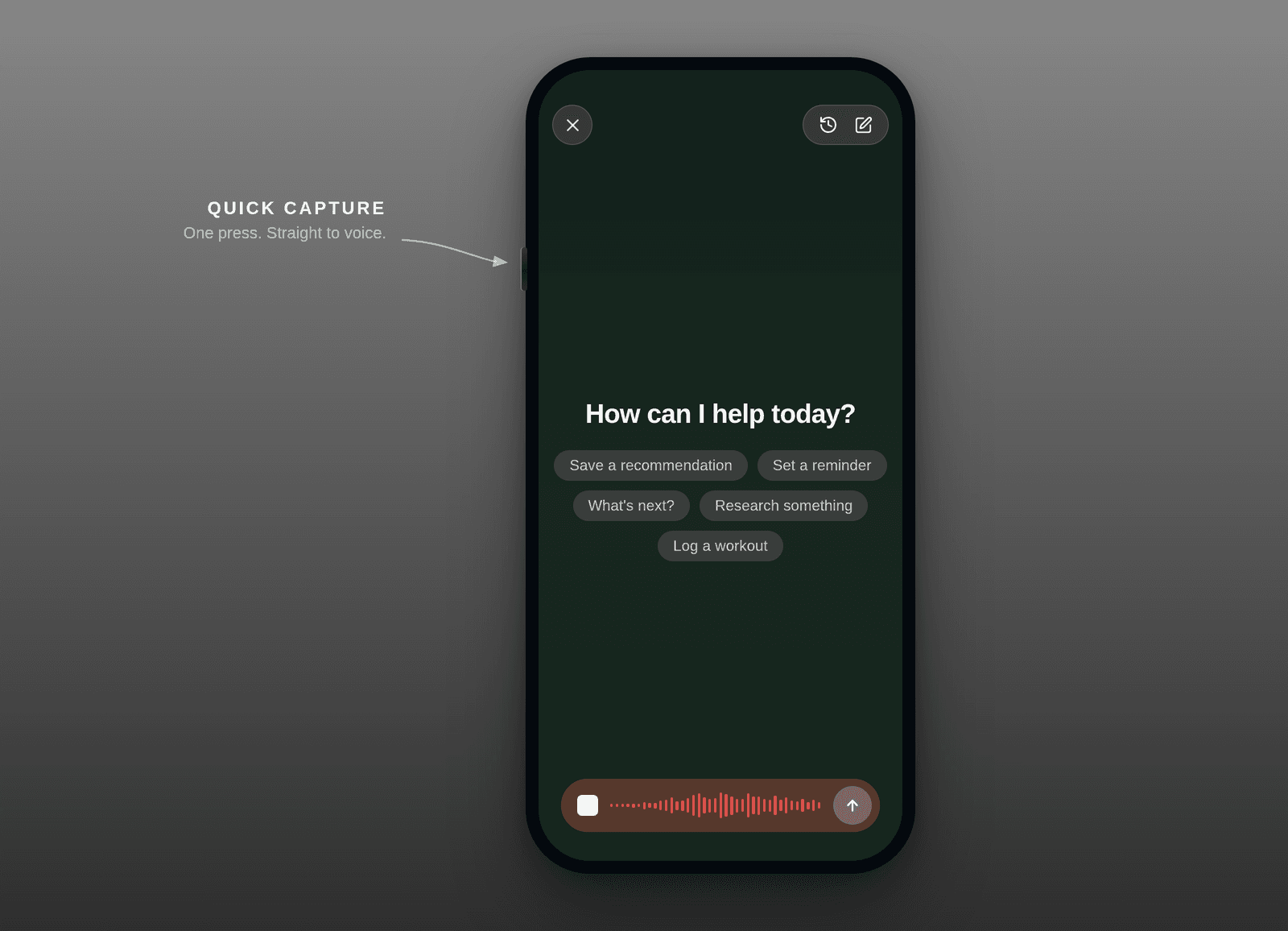
A big week for capture and the Operator: tasks are now the default thing you create, the Operator moved into a proper home on the web, and voice capture got faster and reached the Mac app.
Highlights
Tasks are the default now, notes are optional. When you capture something in Roma, you get a task. That's the change: no more guessing whether a quick thought should be a note or a task. Roma leads with the actionable thing and lets notes be the deliberate choice. It makes capture feel decisive, and it means the stuff you jot down actually shows up as something you can do. This is the first step, not the last, and we're actively optimizing how capture and triage work, so expect this to keep getting smarter in the coming weeks. (All clients)
The Operator finally has a home on the web. The Operator (your AI assistant) now lives in a full-height docked sidebar instead of floating over your work. It sits alongside whatever you're looking at, so you can chat while you read a task or note, and each artifact keeps its own persistent conversation you can dismiss or feed context to whenever you want. It's the difference between a pop-up you summon and a co-pilot that's just there. (Web + Desktop)
Quick Capture, one tap to voice. Capturing by voice is now immediate. The Action Button opens straight into Quick Capture, the mic on Home starts recording the very instant you tap it (no waiting for a sheet to settle), and the whole voice launch is noticeably snappier. When an idea hits, you tap and talk. (iOS)
Global voice capture on the Mac app. You no longer have to be in Roma to capture into it. A native macOS hotkey with push-to-talk (Wispr-style) lets you hold a key, speak, and drop the thought straight into Roma from anywhere on your Mac. Perfect for the ideas that arrive while you're deep in something else. (Desktop)
All updates
Quick Capture now creates a task by default. Notes are optional, and Roma no longer tries to guess note-vs-task on capture (All clients)
The Operator moved into a full-height docked sidebar with persistent per-artifact chats you can dismiss and give context to (Web + Desktop)
Quick Capture opens straight to voice: the Action Button launches it, the Home mic records the instant you tap, and voice launch is faster (iOS)
Global voice capture on the Mac app: a native macOS hotkey with push-to-talk captures a thought without focusing the app (Desktop)
Browse and reopen completed tasks from a dedicated list (iOS + Web)
A fresh first run: reworked onboarding, a "Welcome to Roma" empty state, an updated auth screen with the Roma arches and wordmark, and a first sign-in that lands on Home (iOS)
A cleaner, chromeless look: artifact rows drop their card chrome for tighter, calmer rows and a lighter sidebar (iOS + Web)
See when a note or task was last edited, right in the detail view (iOS + Web)
Editor: move list items and blocks up or down with ⌘⇧↑/↓, Notion-style (Web)
Editor polish: unified text highlighting, hyperlinks now show in blue without an underline, and typography shortcuts (→, —, ½…) no longer eat the character before them (Web)
Swipe to delete on rows in your lists, with a native-feel reveal (iOS)
New Project is now a tap away from the Library (iOS)
Voice capture skips silence, so nothing gets transcribed when there's nothing to hear (Web)
Web Settings reorganized to match iOS, with Home and a tidier navigation (Tasks, Activity) and a new "Go to Tasks" in the command palette (Web)
Editing a task's details no longer bumps you to another view, and the project picker gained type-to-filter search (Web)
Escape no longer closes the detail view unexpectedly (Web)
The Operator is quicker to its first response after you send a message (All clients)
The Operator no longer overwrites your text or produces broken checklist formatting, plus fixes to recent memory-related glitches (All clients)
New accounts correctly start with priority hidden (it's opt-in) (All clients)
Due dates from Quick Capture now respect your timezone, so "today" and "tomorrow" land on the right day (All clients)
Fixed changes like completing a task silently reverting a moment later (Web)
Fixed an import that stamped some tasks decades into the future and pinned them to the top of your feed (Web)
Fixed a case where a single unreadable item could blank your whole workspace, and stale data lingering after switching accounts (iOS)
Signed-in users no longer get stranded on the waitlist page (Web)
Tabs now switch to an already-open item or destination instead of opening a duplicate (Web + Desktop)
Scrollbars are hidden app-wide for a cleaner surface, and content no longer clips under the top bar (Web + Desktop)
Mac app window controls (the traffic lights) polished to sit like native apps (Desktop)
Canceling sign-in shows a quiet inline note instead of a full-screen error (iOS)
Fixed the Home bottom-bar plus button morphing and sitting off its inset (iOS)
Operator sidebar refinements: working resize, an aligned chat column, restored task/note chrome, and the composer showing on first launch (Web + Desktop)
Smaller fixes to the task detail view: chat width and faster session loading (Web)