What’s new in Roma: More powerful lists
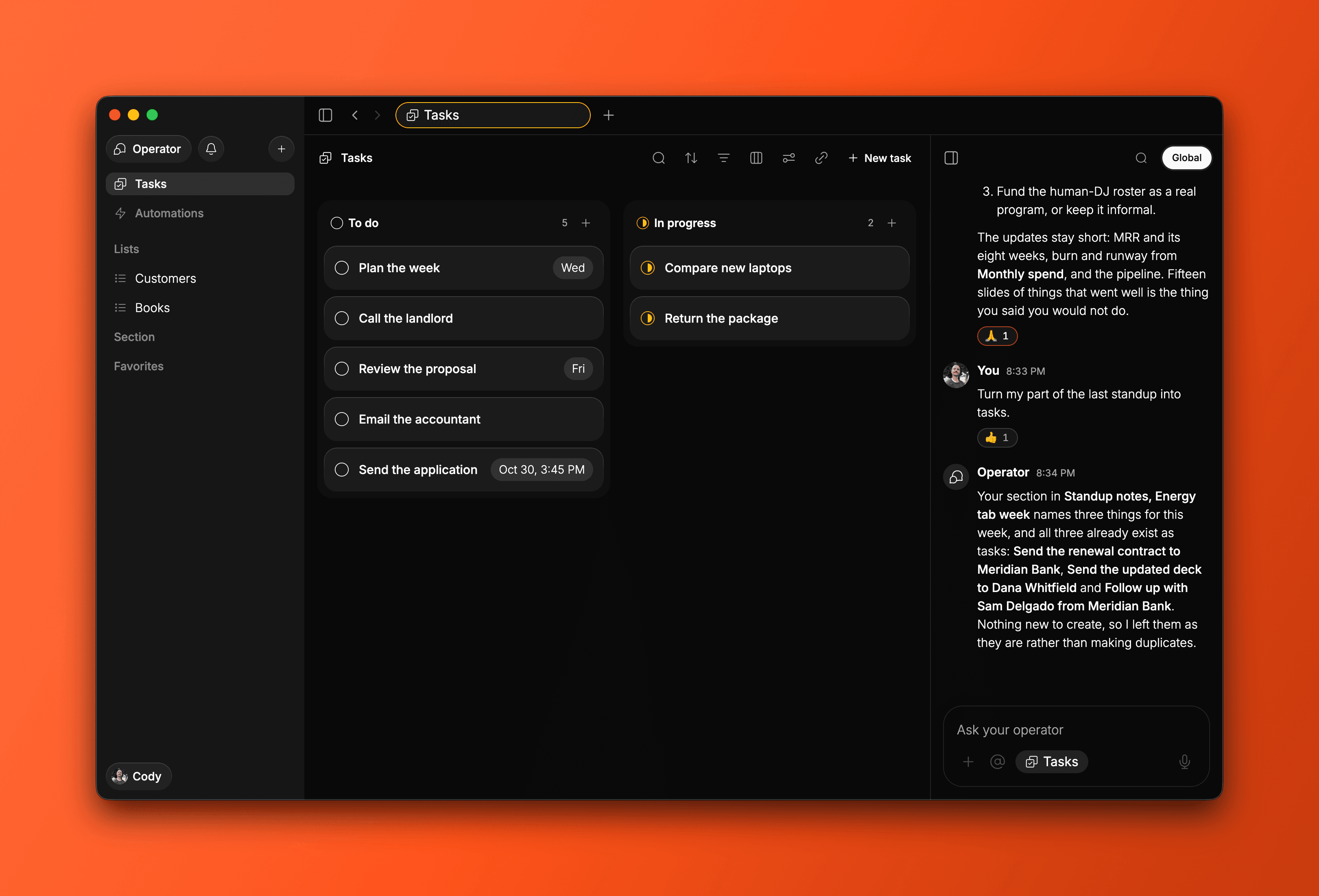
Everything in Roma is a list now. It's the biggest simplification we've made to the product. Just lists and items, starting with your familiar task list. Create lists for anything you want to track, with custom properties, sorting, filtering and new views. One simpler structure, with more power for you, your Operator and your agents.
Lists for everything you want to keep track of
Tasks is your default list. Keep capturing to-dos as usual, or create separate task lists for different parts of your life and work. Your existing work stays in place.
Build a customer list with the fields you need, rather than squeezing every detail into a task title or description. Properties include select, multi-select, person, date and due date, so each list can hold the information that matters to that work.
Ask the Operator to add a customer to your list and fill in the details you provide. It can also look up information to fill the fields.
Use a different set of properties for an investor pipeline or your professional connections. Each entry has its own fields and notes; it doesn't have to be a to-do.
See your lists your way
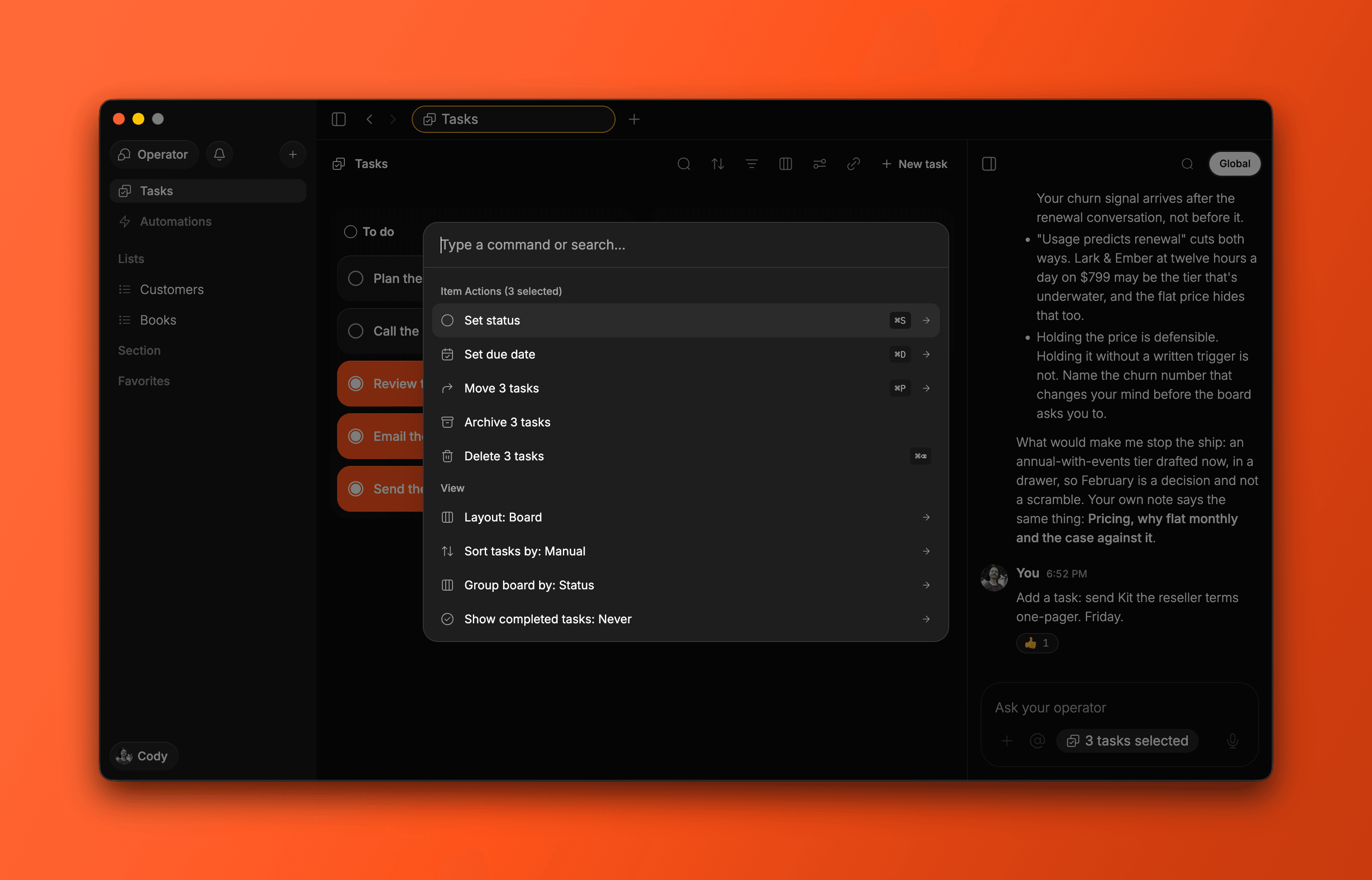
On web and Mac, view a list as a list, board or table. Sort and filter it, choose which properties to show, or group a board to see your work differently. Command+K gives you quick access to list actions, including sorting and filtering.
On iPhone, use the list layout with sorting and a choice of when completed items disappear.
Lists your agents can work with
Your Operator and connected agents work with the structure you choose. Connected agents such as Claude and Codex can create and view lists, edit their structure, add items and update their fields. For example, an agent can add a customer to your pipeline and update their status in the same list you use to track them.
Use Roma inside Claude and ChatGPT
Roma now shows tasks, notes and lists as interactive cards inside Claude and ChatGPT, with Roma’s look and a light or dark appearance to match the chat. Change a task’s status, tick a checklist item or open it in Roma without leaving the conversation. The cards are live for everyone and have passed both directory reviews.
Outside agents can also use Roma as a task queue, asking what changed since their last check rather than reading everything again. A new developer guide explains how to run an agent loop this way.
Notifications, separate from your Operator chat
A new notifications tray in the sidebar on Mac and on your phone brings together what people do on shared items and what Roma prepares for you. Your Operator chat stays focused on what the Operator says.
All updates
Projects and collections are now lists. Tasks remains your default task list, and Notes is a list for your notes.
Create lists with custom properties for books, movies, customers, investors and other things you want to keep track of.
Use list, board and table layouts on web and Mac, with sorting, filtering and property visibility controls.
Use Command+K on web and Mac for quick list actions, including sorting and filtering.
On iPhone, use the list layout with sorting and per-list completed-item settings.
Connected agents can create, view and edit lists, add items and update their properties.
Roma’s interactive task, note and list cards are live for everyone inside Claude and ChatGPT and have passed both directory reviews. Cards match the host’s light or dark appearance and let you change status, tick checklist items and open items in Roma.
Outside agents can request changes since their last check instead of reading everything again. A new developer guide covers using Roma as a task queue in an agent loop.
Agents receive each list’s custom properties on its items and can read and edit items shared with you, subject to access permissions. Tool descriptions are clearer, with one tool for showing an item and explicit caution around deleting items and posting messages.
Each agent’s page now has a connect prompt specific to that agent and a link to the developer docs. Fixed the Instinct connection refusal, added Hermes Agent and removed Zed.
Messages posted by outside agents in a task’s conversation now identify the agent.
On iPhone, manage agent connections in Settings → Agents.
On the web, typed list items can fill supported fields from details you included and tidy the title. This does not look up extra information or replace fields you already filled.
Move items between lists, including moving a task to Notes. The separate Convert action and priority have been removed.
Copy a private link to any item or list without making it public or changing who has access. Copy link is available on web, Mac and iPhone.
On web and Mac, undo and redo supported item and list changes with ⌘Z and ⇧⌘Z.
Edit your own messages in shared conversations on web and iPhone. An Edited mark shows that the words have changed.
Individually shared items appear in Shared with me again, and shared conversations more reliably show missed messages and clear your own unread indicators.
Tables use the item’s title independently of any custom Name or Title field.
On the web, each list controls when completed items disappear. Boards can group ordinary date fields by calendar day, week, month or year.
Fixed a crash when moving a table row to another list and reduced unnecessary rendering work in lists and the sidebar.
On web and Mac, add properties by choosing a name and type, including Status and Due date. Show property values on rows and cards, or hide the properties you do not need.
On web and Mac, group boards by select, multi-select or date properties. Rearrange cards and columns by dragging, add a group at the far right, and keep empty ungrouped columns out of the way.
On web and Mac, drag an item from any layout onto a list in the sidebar, including Tasks. Reordering under a saved sort asks whether to replace that sort.
On web and Mac, changes to a shared list's view stay personal until you choose Save for everyone.
The sharing dialog suggests people you have shared with before. Creating a public link copies it immediately, including to the pasteboard on iPhone.
Only the owner can edit an individually shared item's properties. Other members cannot move that item into their own lists.
Member cards bring people's names and photos together across shared conversations and items. Mentions of people in a shared item's body open their member card.
Presence indicators show someone as viewing an item only while it is visible on their screen, not when it is left open in a background tab.
The Operator's working indicator survives leaving a conversation and returning. Results you watched arrive in an item's chat no longer produce a duplicate relay or unread signal elsewhere.
On web and Mac, Command+K offers custom-property actions for selected items, with destructive actions placed last. Unread items also offer Mark as read.
On web and Mac, the new-task row shows its pickers immediately. Adding a filter opens its editor, and creating a list from the sidebar selects it.
List counts show open items rather than every item. Each list controls its own completed-item visibility.
On Mac, Tasks no longer switches to Notes unexpectedly. Deleting a list closes its dialog onto the Lists index, the feedback window has more room, and the chosen Dock icon persists after quitting.
On iPhone, choose Live or After recording dictation in Settings → AI and Dictation. Fixed dropped words during live dictation and improved continuity through calls and audio-route changes.
iPhone dictation uses the phone's microphone even with a headset connected, and transcription requests include the phone's languages.
iPhone lists remain responsive with hundreds of items, including when selecting items.
On iPhone, refused moves explain that the item returned to its original list. Sharing and property-loss questions are separate and asked once for a selection.
On iPhone, the new-item row includes a microphone, search is available at each tab root, and finishing a selection fades it out without flashing it back.
Fixed saved-view compatibility on iPhone so a malformed legacy filter no longer blanks the app.