Connect more than one Gmail and Google Calendar account
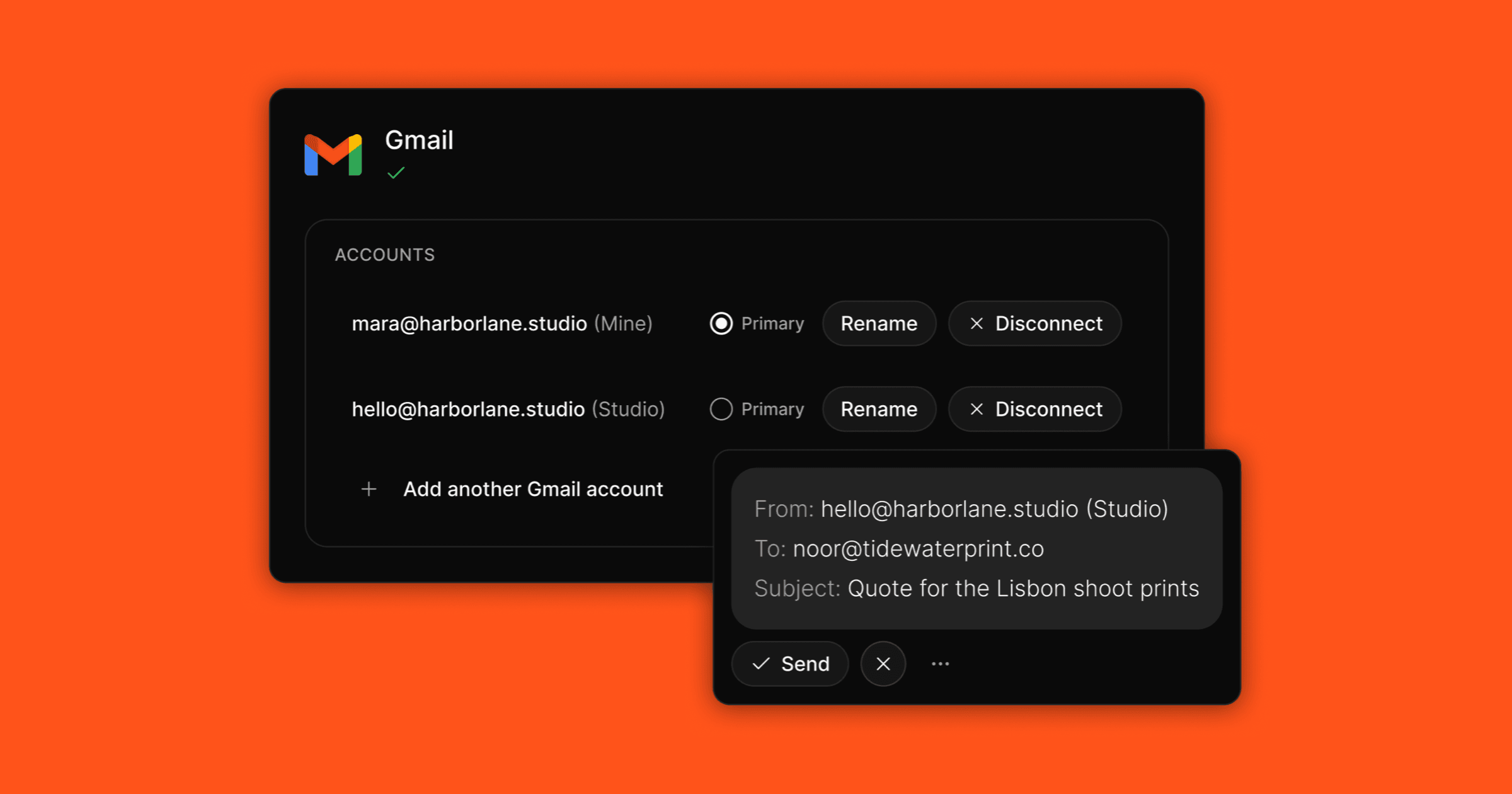
You can now connect more than one account of the same kind, starting with Gmail and Google Calendar. It is one of our most requested updates, because most of you have more than one Gmail account. Add the others under Settings → Connections, give each one a label such as Work or Studio, and the Operator works with all of them.
Ask it what needs a reply today, and it reads every inbox and tells you which one each mail is in. A mail it drafts shows the sending address before anything is sent. One account is the primary: the Operator uses it when you do not say which. A connection holds up to six accounts, and the Mac, the browser and the iPhone all show the same ones.
Views, boards and tables on your iPhone
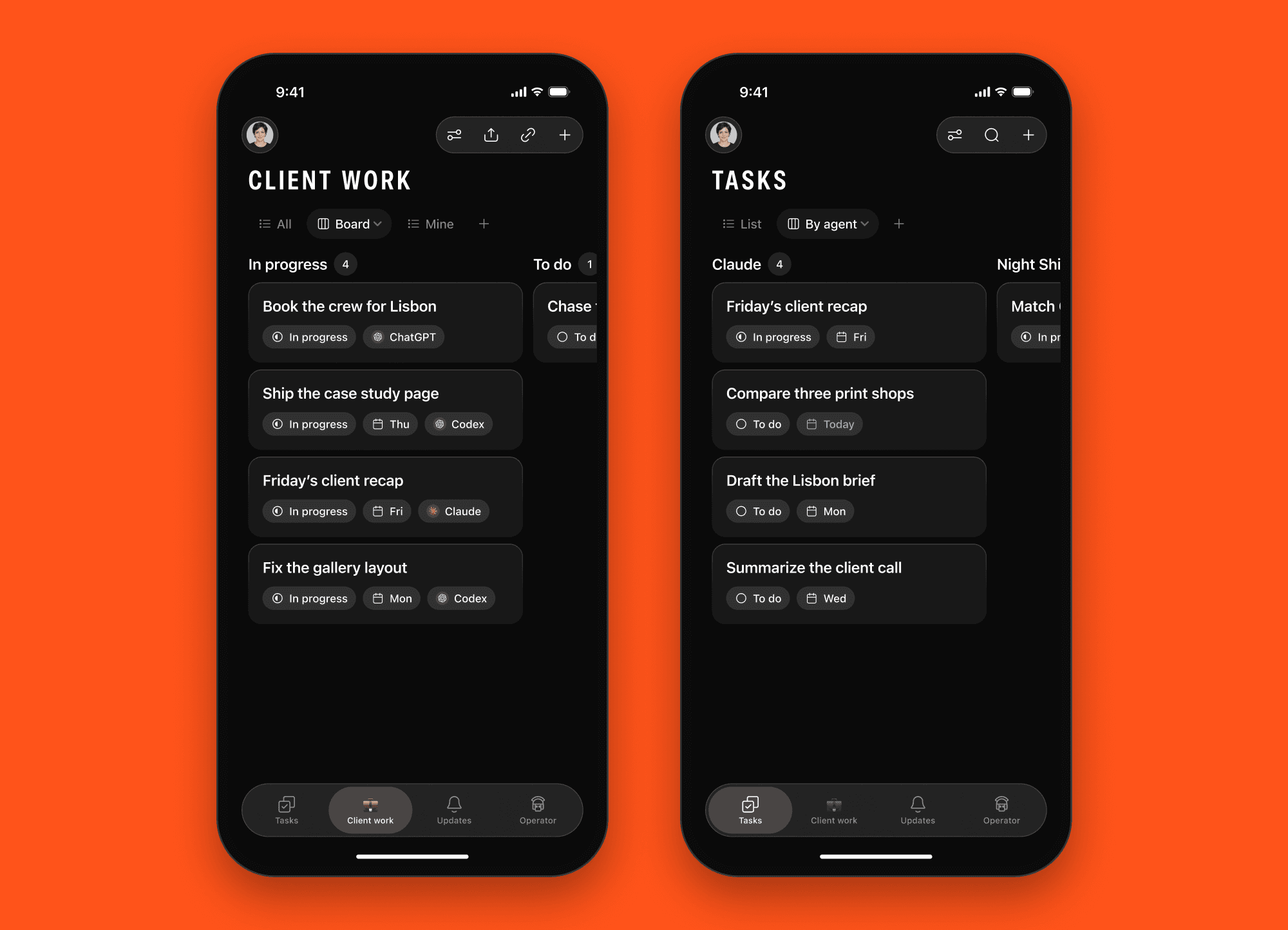
Saved views are on the iPhone now, and so are the Board and Table layouts. The views you set up on the Mac stand as pills at the top of each list. Tap Board on the way to a meeting, and the In progress column shows who is on what, your agents included.
Tap the plus for a New view, and tap the lit pill to rename, duplicate or delete that view or copy its link. The Tasks tab has the same pills. On a shared list, a change to a view stays yours until you press Save for everyone. Dragging a card between columns is not on the phone yet.
One of your lists on the iPhone's tab bar
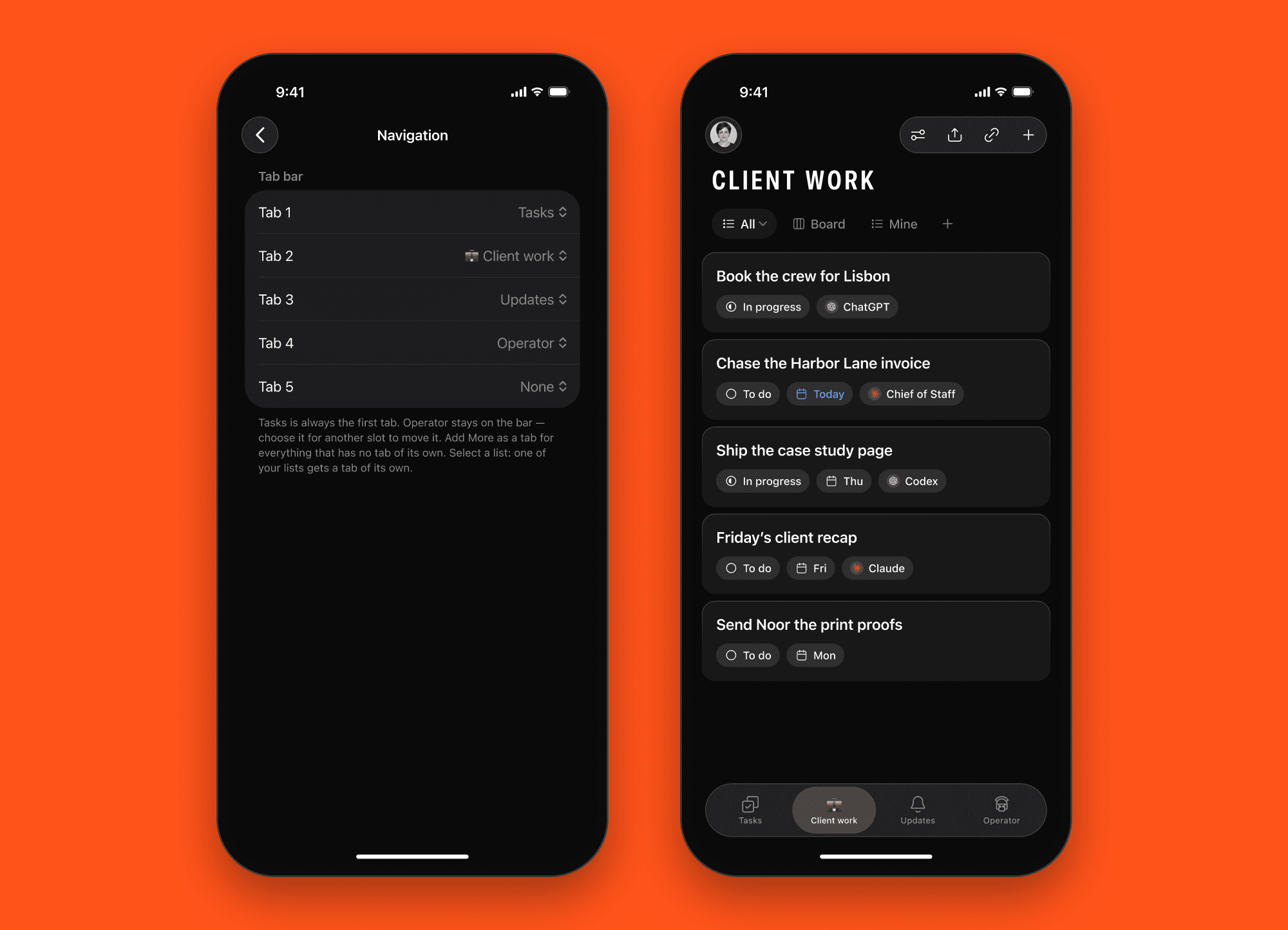
The list you live in can now have a tab of its own. Open Settings → Navigation, choose Select a list for one of the slots and pick it. The tab takes the list's name and icon and opens it from anywhere in the app, and its plus creates straight into that list.
Tasks stays the first tab, the Operator always keeps one, and the bar holds five tabs at most. To give the slot to another list, choose Select a list again.
All updates
Connect up to six Gmail and six Google Calendar accounts. Add another Gmail account is in the connection's Accounts section under Settings → Connections.
Each account shows by its address, with your own label behind it. Rename one, make another one primary or disconnect one on its own.
The Operator works across all accounts on a connection and names the one it means: in its answers, on approval cards and in a mail's From row. When you do not say which, it uses the primary.
Sign in to a mailbox you already added, and Roma says so instead of listing it twice.
Disconnect on a connection with several accounts asks first and says it removes all of them.
Calendars and the memory switches are set per account. The switches are now called Build memory from email and Build memory from calendar.
Saved views are on the iPhone: view pills at the top of every list and of the Tasks tab, New view behind the plus, and Rename view, Duplicate view, Copy link to view and Delete view behind the lit pill.
Board and Table layouts are on the iPhone. A board groups by Status, by a person and, on the Tasks tab, by List. Cards do not drag between columns yet.
On the iPhone, a change to a shared list's view stays yours until you press Save for everyone.
One of your lists can have its own tab on the iPhone: Settings → Navigation → Select a list. The tab takes the list's name and icon, and its plus creates straight into that list.
⌘F puts the caret in the search field of the list you are on, on the Mac and in the browser, the Tasks page included. With a task open, ⌘F stays find in page.
A list's search matches a title as forgivingly as ⌘K, and a property only when it holds the words you typed, in any order. Type "changelog" and you get the rows that say changelog, not the ones that only resemble it.
The Operator posts in a shared task's or note's chat without a card first. Ask it to "put this update in the chat of those three tasks" and it does, under your name. To get the card back, set Post in a shared chat to Ask first under Settings → AI Permissions.
An email address in a chat message stays plain text and no longer opens your mail program. A mail link written on purpose still opens.
On the iPhone, taps in the first seconds after you open the app are answered at once.
On the iPhone, an agent's page shows its connection status and description across the full width of the card.
Your connected agents can find an exact phrase or a pattern across a list's items and go straight to the line to edit.